
[:en][:]
How to Get Customer Reviews Using Linkcard
How to Get Customer Reviews Using Linkcard
In a digital environment where online reputation increasingly influences purchasing decisions, receiving feedback and reviews from customers has become essential for businesses. User reviews not only help improve products or services, but also build trust among future customers.
Why Customer Feedback Is Important
Customer feedback provides insight into how a product, service, or experience is perceived. This information can be useful for identifying areas for improvement, adjusting processes, or better understanding customer expectations.
Reviews and opinions serve several purposes:
• They help identify opportunities for improvement
• They provide insight into customers’ actual experiences
• They lend credibility to the brand
• They influence other users’ purchasing decisions
Many consumers consult reviews before choosing a service or making a purchase. For this reason, having accessible and transparent reviews can become a key element of a company’s digital strategy.
How Linkcard Makes It Easier to Collect Reviews
One of the main challenges in gathering feedback is making the process quick and simple for customers. When the process is lengthy or confusing, many people choose not to leave a review.
With Linkcard, you can create a digital page that centralizes various entry points so customers can share their experiences.
For example, a Linkcard can include links to:
• review platforms
• feedback forms
• satisfaction surveys
• social media
• contact channels
This way, customers only need to visit a single page where they’ll find various options for leaving their feedback.
What Is a Feedback or Review Linkcard?
A feedback-focused Linkcard serves as a central hub where customers can leave their opinions or rate their experience.
This type of page can include various elements:
• a message inviting customers to share their experience
• buttons linking to review platforms
• links to satisfaction surveys
• options for submitting comments or suggestions
The goal is to simplify the process and allow customers to share their feedback in just a few steps.
How to Create a Linkcard to Collect Feedback
You can create a feedback page using Linkcard by following a few simple steps.
- Create a new Linkcard
The first step is to create a new card or page within the platform. This page will serve as the entry point where customers can leave their reviews. - Add an introductory message
It’s a good idea to include a brief message explaining the purpose of the page. For example:
“Your feedback helps us improve. Share your experience.”
This type of message encourages customers to participate and reinforces the importance of their feedback. - Include links for leaving reviews
You can then add buttons or links to various channels where users can provide feedback.
Some options include:
• feedback forms
• review platforms
• satisfaction surveys
• direct contact with the company
This allows you to offer different options based on the customer’s preference. - Customize the design
A Linkcard can be visually customized to align with your brand identity. Including colors, images, or logos helps create a more professional look. - Share the page with customers
Once the Linkcard has been created, it can be shared through various digital channels, such as social media, email, or direct messages.
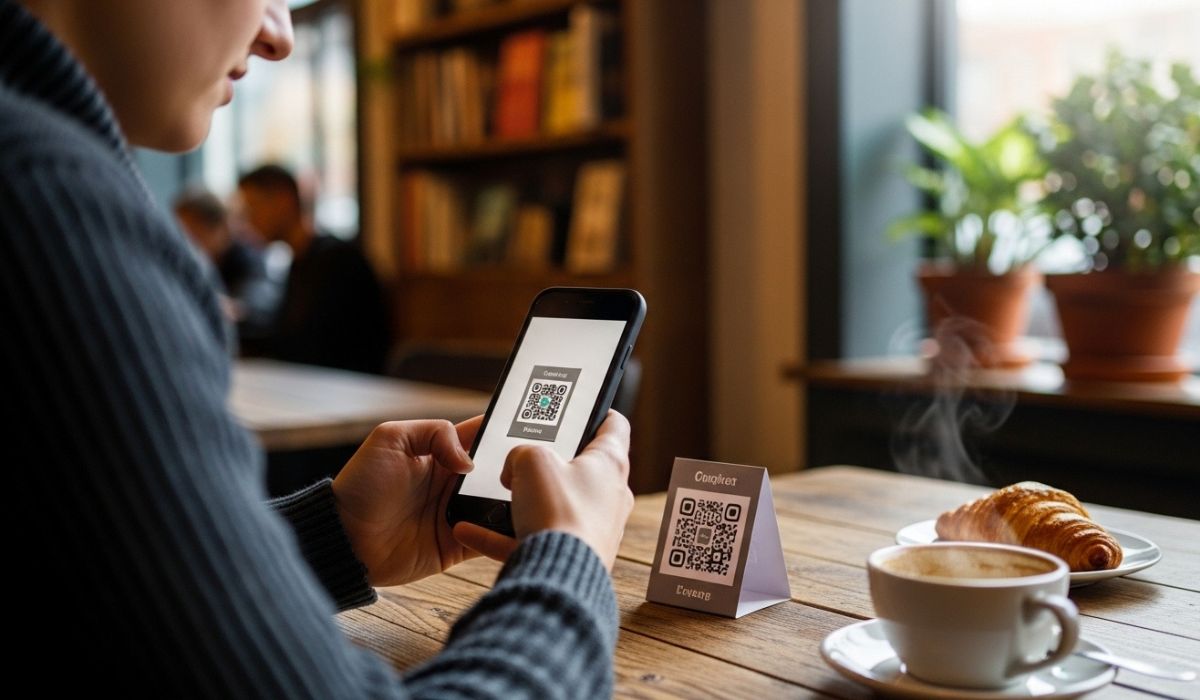
You can also use a QR code, which makes it easy to access immediately from mobile devices.
How Reviews Help Build Trust
Customer reviews have a significant impact on how a brand is perceived. When users see that others are sharing positive experiences, their trust in the business grows.
Feedback also serves another important purpose: it shows that the company listens to and values its customers’ opinions.
When customers feel that their opinions are taken into account, they are more likely to develop a closer relationship with the brand.
Benefits of Centralizing Feedback on a Linkcard
Using a dedicated page to collect feedback offers several advantages.
1. Simplifies the process for customers
Users can find all feedback options in one place.
2. Makes sharing easier
The page can be easily shared via links or QR codes.
3. Improves channel organization
It allows you to centralize different review platforms.
4. Enhances your professional image
Having a page dedicated to feedback conveys transparency and openness.
5. Helps build trust
Visible reviews from other customers help strengthen the company’s reputation.
Examples of use in different sectors
A feedback Linkcard can be used in various types of businesses.
Restaurants and cafes
Customers can scan a QR code at their table and leave feedback about their experience.
Clinics or health centers
After an appointment, patients can share their feedback on the service.
Stores and Retailers
A QR code on the receipt or at the counter can direct customers to the feedback page.
Events or Experiences
Attendees can rate the organization or content of the event.
Conclusion
Gathering customer feedback is a key tool for better understanding their experiences, improving services, and strengthening a company’s reputation.
Facilitating this process through accessible digital pages and QR codes can significantly increase user engagement.
In this context, solutions like Linkcard allow companies to create centralized pages where customers can share their opinions quickly and easily. By combining links, forms, and QR codes, companies can build an accessible feedback system that not only helps collect reviews but also builds greater trust among current and potential customers.
Share this on:
Continue reading

Boost sales with Linkcard
In the dynamic world of modern networking and sales, traditional paper business cards are being replaced by innovative digital alternat...

Linkcard as a digital marketing solution for manufacturers
You can build amazing micro-websites, and digital marketing assets all on your own, go live quickly, and update whenever you need.Marke...

Synchronize your email signatures with G suite Sync
“Linkcard G Suite Sync” allows you to synchronize your G Suite account with your Linkcard email signatures, so you can install them in ...

Linkcard for Healthcare
Linkcard has created a new COVID-19 digital vaccine template to give you even more options and choices, making your life easier one mic...

Linkcard for Insurance Brokers
Linkcard for Insurance Brokers: Empower leads & communication. Use Linkcard to communicate effectively and empower your lead genera...

What type of website builder is best for you?
Not long ago you needed to have experience and knowledge in web development or coding in order to go live with a website.Now, thanks to...

Use AI to enhance your Linkcards
In this article, we will explore how to integrate AI into every part of your Linkcard, what tools to use, and what strategies to apply ...

QR Codes
In an era marked by technological advancements and the need for seamless connectivity, QR codes have emerged as a versatile tool cateri...

How to increase engagement with your loyal customers
In an increasingly competitive market, having loyal customers is no longer enough: the key is to get those customers actively involved ...

Customizing your link with an image and text
Discover how to send your Linkcard through different platforms by customizing your link with an image and added text.
...
Promo Kit Files
Download our pre-designed files and start promoting your program.Below, we provide you with our pre-designed files for you to adapt to ...

How to use guerrilla marketing with Linkcard’s mobile-first sites?
The markets are getting more competitive each year, with new business products, ideas, and players entering at a quicker pace.Having yo...

How to use AI to create magnetic offers (and sell more on key dates)
Today, creating an attractive offer is not just about the discount. It depends on how you communicate it, who you show it to, and what ...

How to design an omnichannel loyalty program
In an environment where consumers interact with brands through multiple channels, traditional loyalty programs are no longer sufficient...

Customer Loyalty in the Digital World: How to Strengthen Your Clients’ Loyalty
In a hyperconnected world where users are exposed to hundreds of ads daily, getting someone to choose your brand again is a real challe...

How Linkcard can help the healthcare sector improve its communication and digital experience
The healthcare sector is undergoing a process of constant digital transformation. Patients, professionals, medical centers, and compani...

Benefits of Linkcard Pro vs Freemium
Linkcard’s microsite and digital marketing platform have many uses and different formats available to users.So, how can you decide what...

5 cool ways to use digital cards and microsites
So, you want to create a cool digital companion for an invitation or a piece of content and want to know what’s the best option? Try a ...

How To Get The Most Out Of Your Digital Business Card
Did you know that you can use your Business Card to enhance your brand identity and get more clients?Digital Business Cards are network...

Microsites for product launches
To get eyes on your new product you will need to have a website to host all the information about the launch and highlight what you hav...