
Synchronize your email signatures with G suite Sync
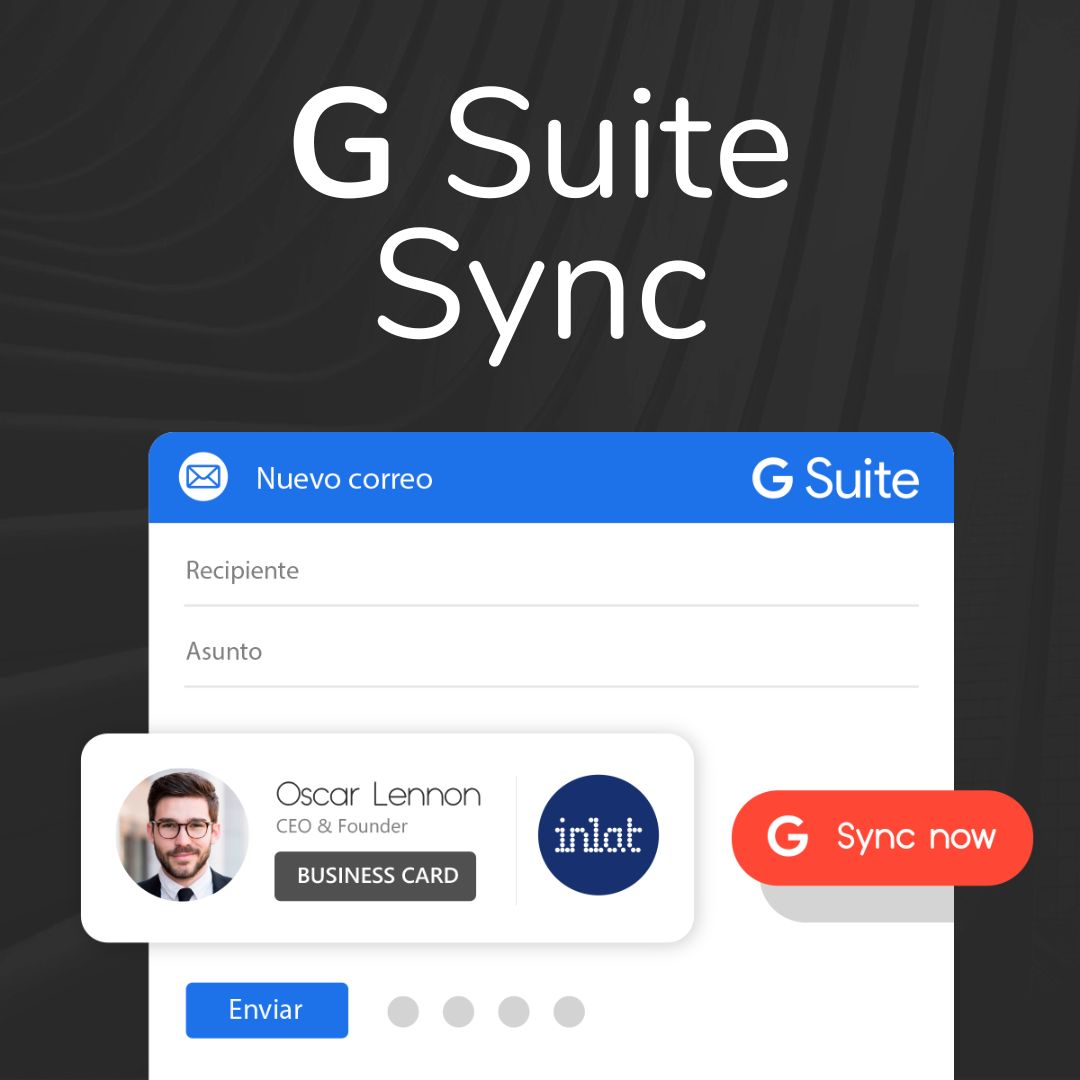
Linkcard G Suite Sync
“Linkcard G Suite Sync” allows you to synchronize your G Suite account with your Linkcard email signatures, so you can install them in one click for your entire work team.
How to create and edit email signatures?
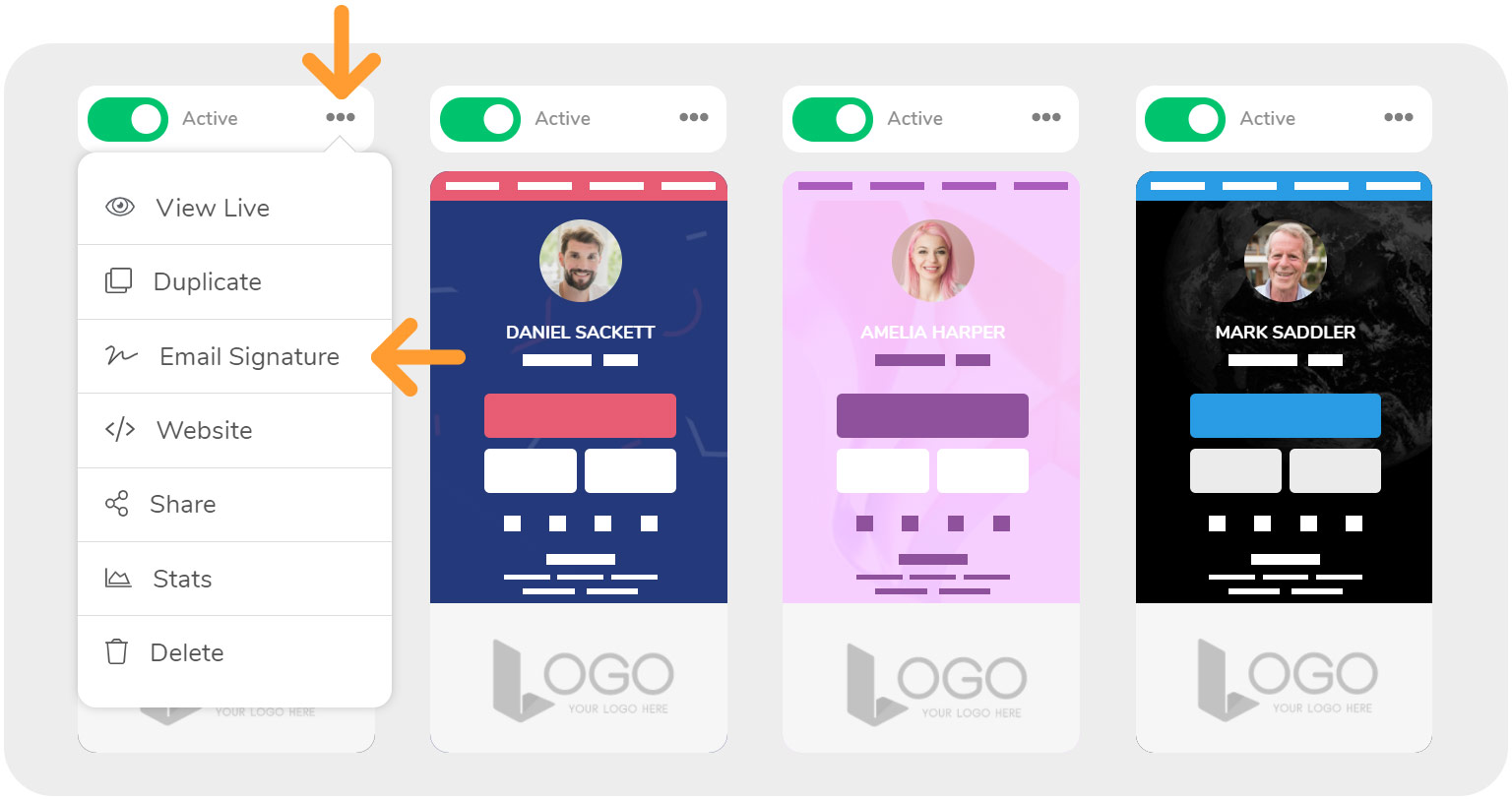
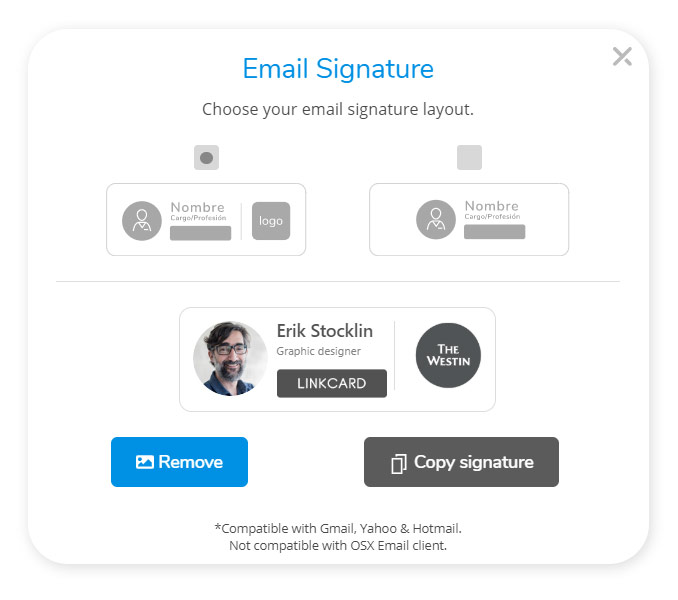
Use the 3 points located on the top bar of each card to display the options, among which you will find “Email Signature“. Click on it, select a template and upload your company logo.
After editing you can copy and paste the result into your favorite email client, or use the G Suite synchronizer as explained next.
How to sync Linkcard with GSuite?
To start the synchronization, go to “MY ACCOUNT” and then click on “INTEGRATIONS“. Then click on “Sync with G Suite” and select the Gmail account that corresponds to the integration you want to perform.
To finalize the configuration, you must go to your G Suite Admin and enter the Client ID and Scope that you will obtain in the INTEGRATIONS section.
Share this on
Continue reading

5 ways to make your business more sustainable with digital marketing
The global climate crisis has made it important for all of us to assume more conscious practices, and businesses are no exception to th...

How can a mobile site improve conversion rates?
It’s no secret that smartphones rule technology. They are the most frequently used devices in the tech world, making them an incredibly...

Synchronise emails signatures with your team
Learn how to synchronise your email signatures across work teams in just a few steps.Share this on

One-page micro-websites under investigation?
One-page site, mini-site, micro-site and landing pages. I am sure you have heard of all of those terms but, do you know the difference ...

Linkcard is the best marketing tool for 2023
If you are one of those looking to enhance their business with the best marketing tool in 2023, we have just the tool for you, Linkcard...

How to Transfer Linkcards to Another Account (New Linkcard Feature)
Digital asset management requires increasing flexibility, especially when teams, agencies, or different managers within an organization...

5 Unexpected branding opportunities you don’t want to miss
Branding has become a necessity for having a successful business.Branding opportunities can take what you now have from a single idea t...

How To Get The Most Out Of Your Digital Business Card
Did you know that you can use your Business Card to enhance your brand identity and get more clients?Digital Business Cards are network...

Attract more members and strengthen your loyalty program
The end-of-year holidays represent one of the most important times for brands in terms of customer contact.
Christmas and New Year not...

Linkcard for Healthcare
Linkcard has created a new COVID-19 digital vaccine template to give you even more options and choices, making your life easier one mic...
How can tech tools help me use my time better?
Technology has changed almost every aspect of modern life, from connecting us to the people we love most in different ways to maximizin...

How to design an omnichannel loyalty program
In an environment where consumers interact with brands through multiple channels, traditional loyalty programs are no longer sufficient...

Linkcard as a digital marketing solution for manufacturers
You can build amazing micro-websites, and digital marketing assets all on your own, go live quickly, and update whenever you need.Marke...

A complete tool for digital marketing
Linkcard is on the news a top-of-its-kind no-code website builder with hundreds of benefits and immense digital potential for users.o, ...

How digital business cards can change the way you connect to clients
Technology has reinvented everything from the way we order food to how we get information and especially how we connect.Networking and ...

Microsites: A great digital tool for medical product distribution
These small websites have immense potential to help medical distributors sell your product!Medical distribution requires you to cover a...

Activate the Linkcard email signatures
Learn how to create and use our email signatures and connect them with your Linkcards.Share this on...

How to use Linkcard at parties to boost offers, communication, and conversions
The holidays represent one of the busiest times of the year in terms of digital communication.
Brands, entrepreneurs, and professional...

How to make the most of SEO with a single-page site
Single-page sites are becoming a hot trend with users all over the world and it’s easy to see why.They are easier to create, provide an...

Linkcard for Guerrilla marketing
Guerrilla marketing comes from the military term ‘guerrilla warfare’ which refers to a non-tactical force, with fewer constraints and o...